
Creating And Using NFC Plant Tags
One of my hobbies is growing Chilli plants. I’ve been experimenting with different ways of growing them over the last few years. Last season was my most successful, but I managed to lose track with what seed sources/plants etc as I moved things around between growing locations. Whilst I could (mostly) tell what varieties of chilli plants I ended up growing, I lost key information.
The kinds of things I like to keep an eye on are :
- Seed source (purchased from who, retained seeds etc.)
- Germination rates/times.
- Potting up dates/ages.
- Feed schedules, types (frequency, food types/strengths).
- Growing methods (Kratky vs drip vs bottom fed etc).
These should in theory let me find the best and most effective ways to grow my plants and begin to experiment with crossing varieties etc over time.
Whilst this would be easy with numbered plant tags and a spreadsheet/database I’m a techie and like the idea of automating some of this.
Enter the Seedsio (https://seedsio.com) from the wonderful ChilliChump (https://www.youtube.com/chillichump).
NB. I’ve purchased some seeds from his online store this year and the germination rate has been fantastic, so if you fancy giving getting some seeds, go to (https://cillichumpseeds.com).
Seedsio is a platform that lets you track plants from seed onwards and he created it to help run his own business. You can track initial trays of seeds through germination and then individual plants. Once a plant has been potted up in the system it has a specific URL.
Because each plant has its own URL, its possible to link to a given plant using an NFC tag. So using an app like ‘NFC Tools’ you program an NFC with a link directly to the plant within Seedsio. As such whenever performing an action of the plant, you can easily scan it and update the info for that plant.
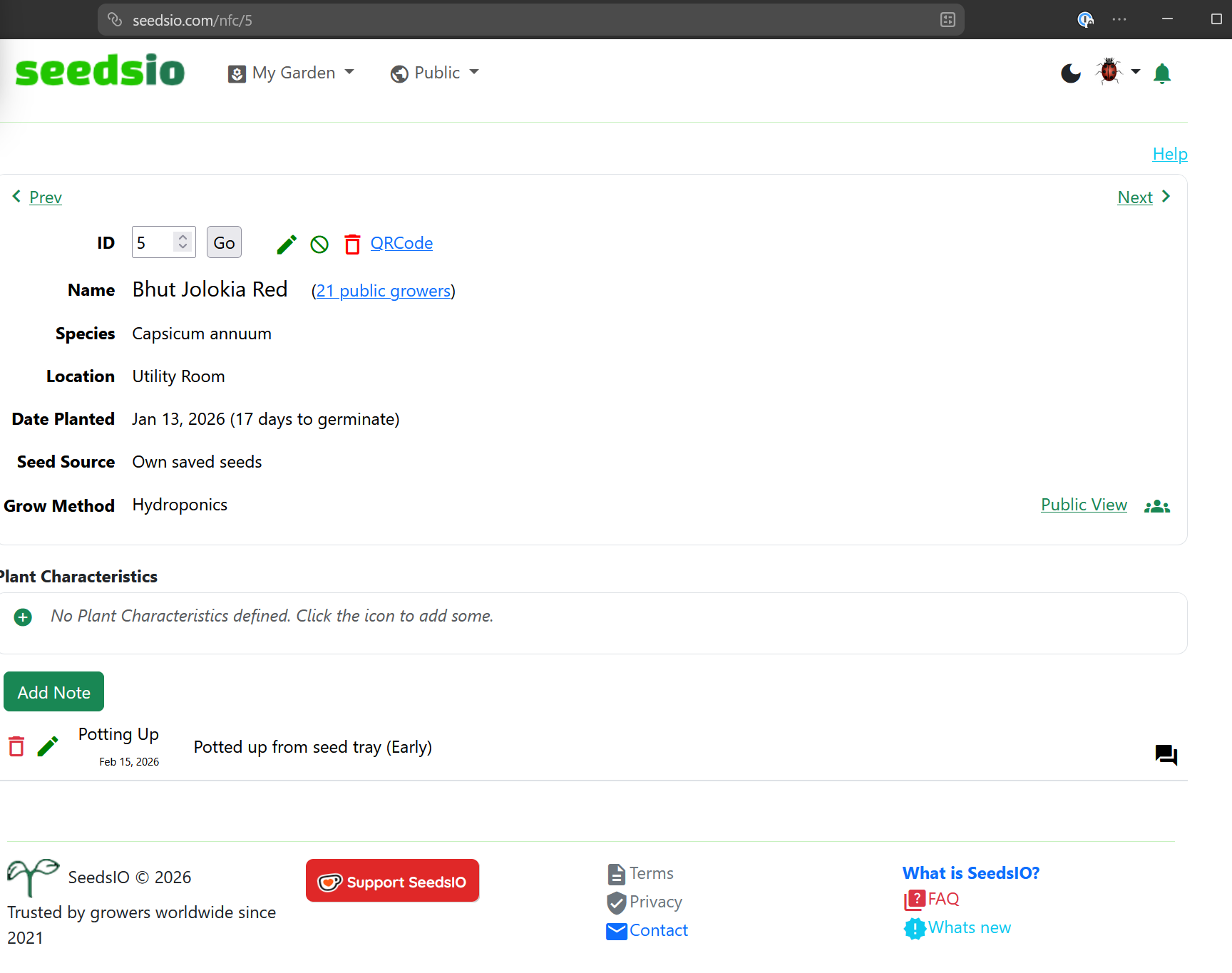
So for example, this plant has a direct URL on seedsio to https://seedsio.com/nfc/5 I simply program an NFC sticker to that URL and place it with the plant.
ChilliChump uses NFC stickers stuck to traditional plant tags, but when I experimented with that I noticed them getting wet and realised they would probably only last a single season.
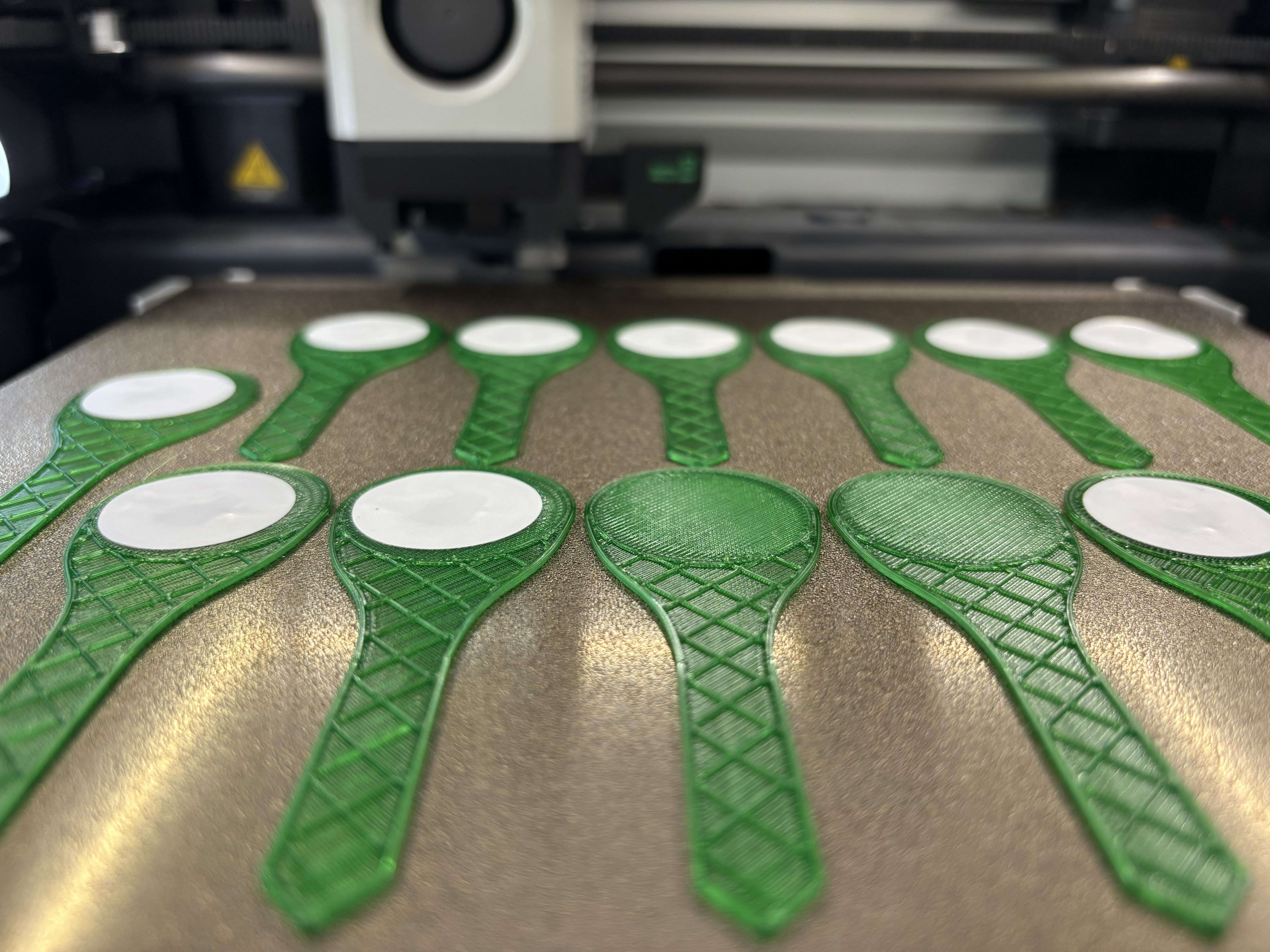
As such I’ve created a couple of 3D print models that allow you to print a simple plant tag with an embedded NFC sticker. That way the stickers are in a more robust package and I think the will last a lot longer.
The models are available on MakerWorld here
I bought a reel of 100 NFC stickers for around 4 pounds online, I’d imagine you can get them even more cheaply from somewhere like AliExpress.
The prints have a pause half way through the job that allow you to place an NFC sticker on the tag. The circular section at the top is hollow, so place a sticker in the round part. This is then sealed into the tag when the print continues. I’d recommend using PETG, ABS or similar filament ahead of PLA. These are a little more robust around water and changes in temperature.
If you want to manage your plants yourself without using something like Seedsio, you can still use this form of NFC tagging.
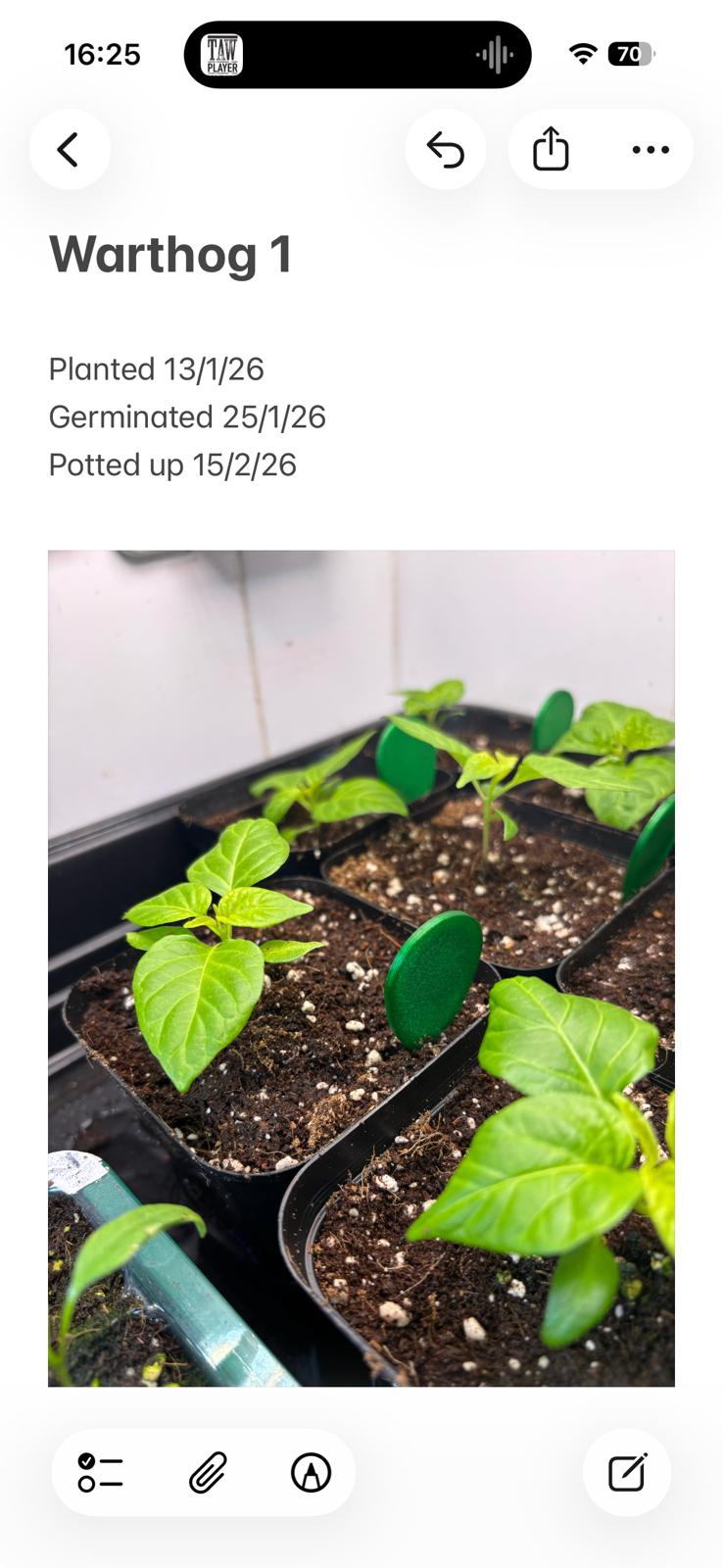
On IOS you can create a file in Notes for each plant. Be sure to give each note a unique title. For example, this is the current state of one of my Warthog plants.
Using the IOS shortcuts app select the ‘Automation’ button, then the plus sign to create a new automation. Select ‘NFC’ and scan a new tag and name it. I use ‘Run Immediately’ so you don’t have to confirm after scan. For the action select ‘Note Open’ and the note you’ve created for that plant.
Repeat this for each plant/tag.